My quote link · Free
Your clients send you their request in writing.
After a call, send your link by text or WhatsApp. Paste it on your Google Business Profile and print its QR code for your van. Your client describes the work and the request lands in your workspace.
No per-lead fee · Included in the Free plan · Never passed to another pro

Your client sees only you.
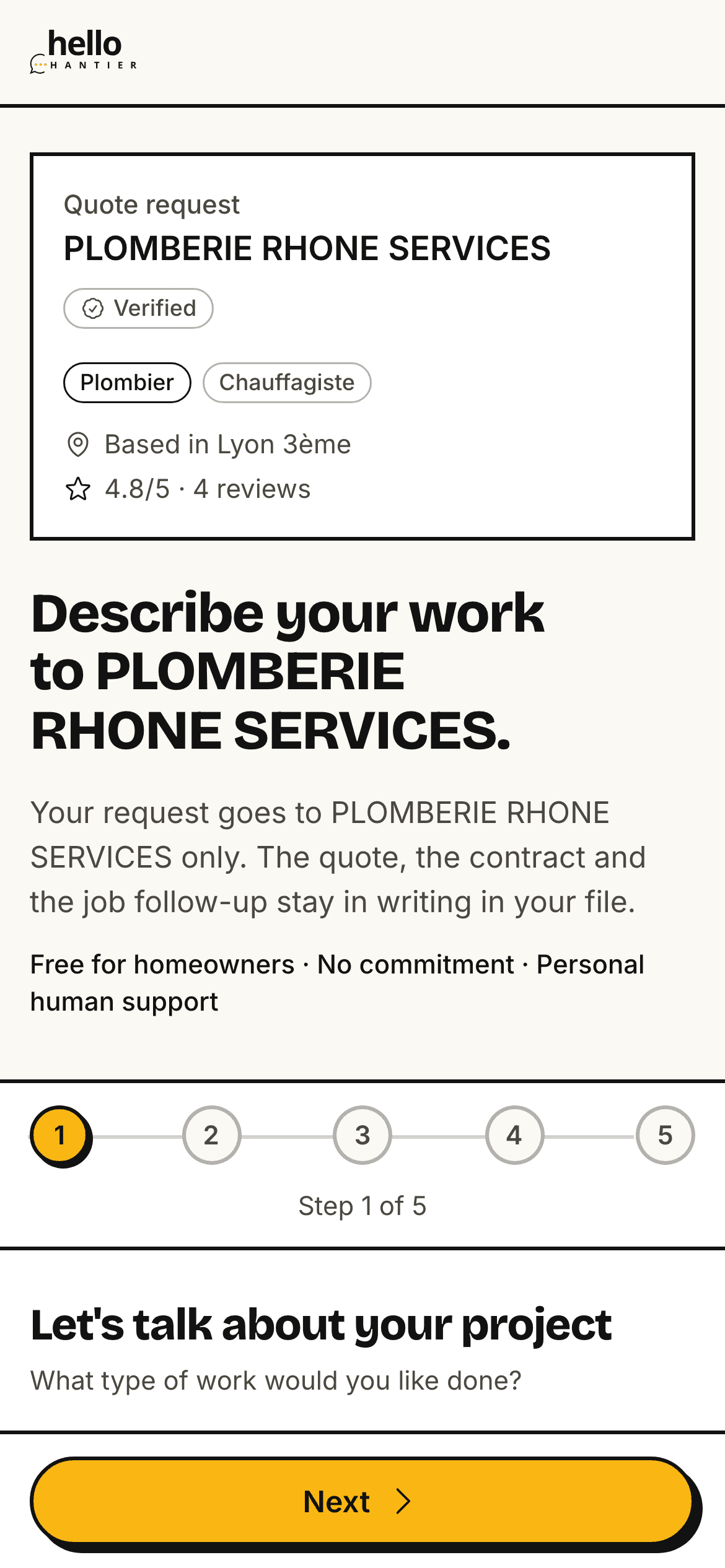
The link opens a request page in your name, built for the phone.
- Your name, logo, trades and town at the top of the page.
- No directory and no other professional on the page.
- Only your trades are offered. With a single trade, the step is skipped.
- Your client sends the request without creating an account, then follows it from the link sent by email.
A complete request, with its source.
Every request arrives in the same format, with the client's contact details shown straight away.
- A badge shows where each request came from: text, Google profile, van QR code. Your panel counts the requests of the last 30 days by source.
- These requests do not count towards your monthly lead quota, and the client's contact details show without an extra step.
Quote request
- Quote link · Text
- Google profile
- QR · Vehicle
- Type of work and trades
- Rooms involved
- Desired timing
- Budget, if given
- Town of the job site
- Name and email, phone optional
One QR code on the van, another at the counter.
Poster, sticker and business card download from your panel as print-ready PDFs. They carry your name, trade and town, with your logo and, if you choose, your phone number.
- A5 poster
- Counter, shop window, vehicle window.
- Vehicle sticker
- 30 × 30 cm square for the rear doors or the sides.
- Business card
- 85 × 55 mm, bleed included, ready for your printer.
Each material has its own QR code, so you know where each request comes from.

Quote link questions
What is my quote link for?
It is an address of your own (hellochantier.com/d/ followed by 6 characters) that you give to your own clients: by text after a call, on your Google Business Profile, on your website, or as a QR code on your van and business cards. The client describes the work online and the request reaches you only, never another professional. The link is included in the free profile, and these requests do not count towards your monthly lead quota. It goes live as soon as your profile is published and your listing verified.
Who can get a quote link?
Any professional registered on Hello Chantier. The link goes live once your profile is published and your listing verified. Before that, you can already prepare your materials: the link and the QR code will not change.
How much does the quote link cost?
Nothing. The link and its QR codes are included in every plan, Free plan included, with no per-lead fee. Requests sent through your link do not count towards your monthly lead quota.
Does my client need an account?
No. They fill in the request, leave their contact details and get an email with a link to follow it. If they already have a homeowner account, they can sign in instead.
What happens after a request?
You get an email and the request appears in “Requests”. You accept it, then prepare the quote, suggest an appointment and have the contract signed online, all in the same file.
Does the link change if I edit my listing?
No. The link never changes, even when you edit your listing, so your printed QR codes stay valid.
Claim your listing, get your quote link.
Your company may already be in the directory. Sign up with your SIRET: we attach your listing, and your quote link goes live once your profile is published and your listing verified.
From the call to the written request
Send your link
After the call, a ready-written text or WhatsApp message goes out from your phone. The same link goes on your Google Business Profile, your website or your email signature.
Hello, describe your work here and I will reply with a quote: hellochantier.com/d/K7M2QX
Your client describes the work
On a page in your name, they pick from your trades and give the rooms, the timing, their town and their contact details. The budget is optional.
The request reaches you
You get an email and the request shows up in “Requests”. You accept it, then prepare the quote.